Getting started
Prerequisites
- A terminal that supports colour (any modern terminal emulator).
- pixi to reproduce the environment, or a Python 3.10+ install.
1. Clone the repository
git clone git@github.com:sattwik-sahu/pybrary.git
cd pybrary
2. Set up the environment
Using pixi (recommended):
pixi install
Using plain pip:
python -m pip install -r requirements.txt
3. Start the application
pixi run python main.py
Not a pixi user? The exact same command works with a plain Python:
python main.py.
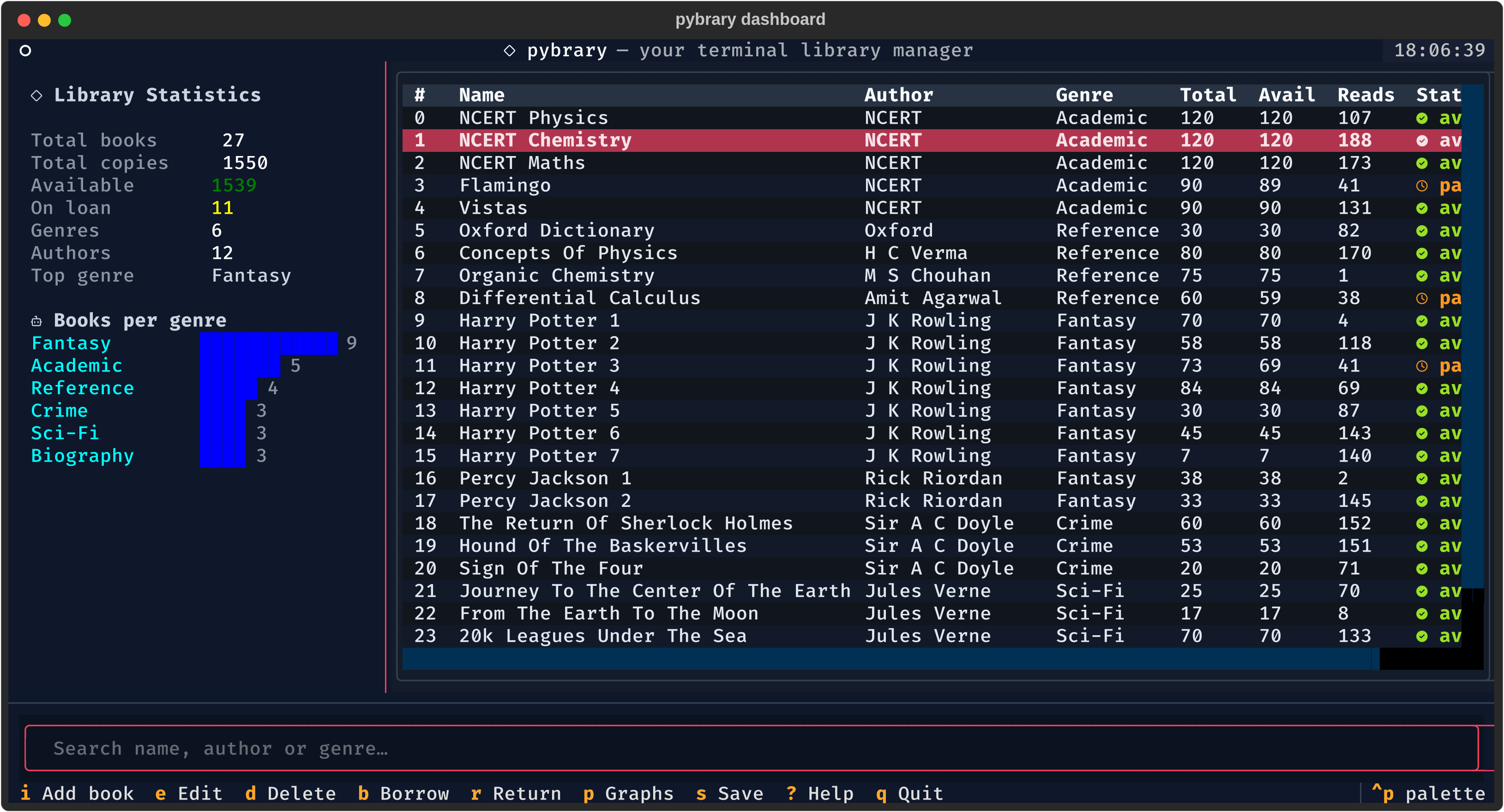
4. Manage your library
- Use
j/kto move through the catalogue andGto jump to the bottom. - Press
/to search by title, author or genre. - Press
ito add a book,bto borrow the selected copy andrto return it. - Press
qto quit — pybrary saves your changes automatically on exit.
Using the classic CLI
Prefer menus over keybindings? The original interface remains available:
python main.py --cli
That interface offers New, View, Graphs, Update (Borrow/Return), Delete and Save with an auto-save on exit.
Storage
Your catalogue is kept in a portable SQLite database (library.db) at the repository root. When you start pybrary for the first time it will automatically migrate the legacy library.csv file if one is present.