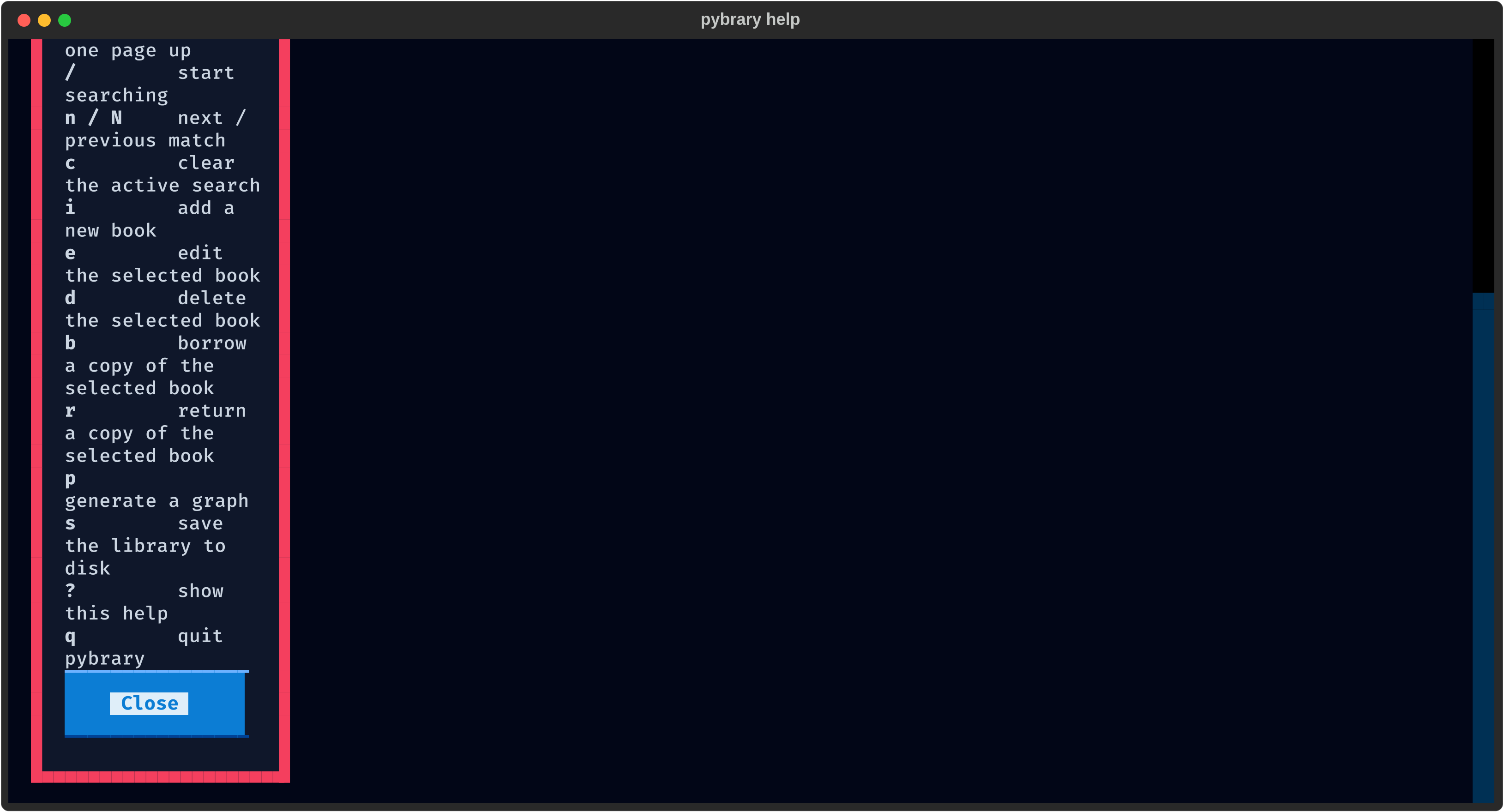
Features
Keyboard-first navigation
pybrary is designed to be driven entirely from the keyboard. The catalogue table, search bar and every dialog follow Vim conventions, so muscle memory from your editor carries straight over to managing your books.
Live search
Press / and start typing. The table filters on every keystroke, matching substrings in the title, author and genre, with the matching fragment of the title highlighted. n/N move between results and c clears the filter.
Complete catalogue management
- Add (
i) — a modal form collects title, author, genre and total copies, reliably validated before anything is written. - Edit (
e) — the same form, pre-filled with the selected record’s details. - Delete (
d) — a confirmation dialog guards against accidental data loss. - Borrow (
b) / Return (r) — one key updates the available-count and increments thereadscounter.
Statistics sidebar
The left panel always shows totals for books, copies, availability, loans, genres and authors, plus a compact per-genre bar chart so you can see where your collection is focused.
Charts
p opens a small picker and renders either genre v/s number of books or genre v/s number of reads. Charts are styled to match the TUI and are saved into the graphs/ folder as PNG files.
Classic CLI
The original menu-driven interface from the early days of the project is still fully functional and can be launched with python main.py --cli.